If your Samsung dishwasher is displaying the E02 error code, you’re likely dealing with a drainage problem that’s preventing the appliance from removing water properly. This error often appears at the end of a wash cycle, leaving standing water inside the dishwasher and preventing normal operation.
While seeing an error code can be frustrating, the good news is that many E02 drain issues are caused by simple blockages that homeowners can resolve themselves. In other cases, the problem may involve a faulty drain pump or electronic component that requires professional repair.
In this guide, we’ll explain what Samsung dishwasher error code E02 means, the most common causes behind it, how to troubleshoot the issue at home, and when it’s time to call an experienced technician.
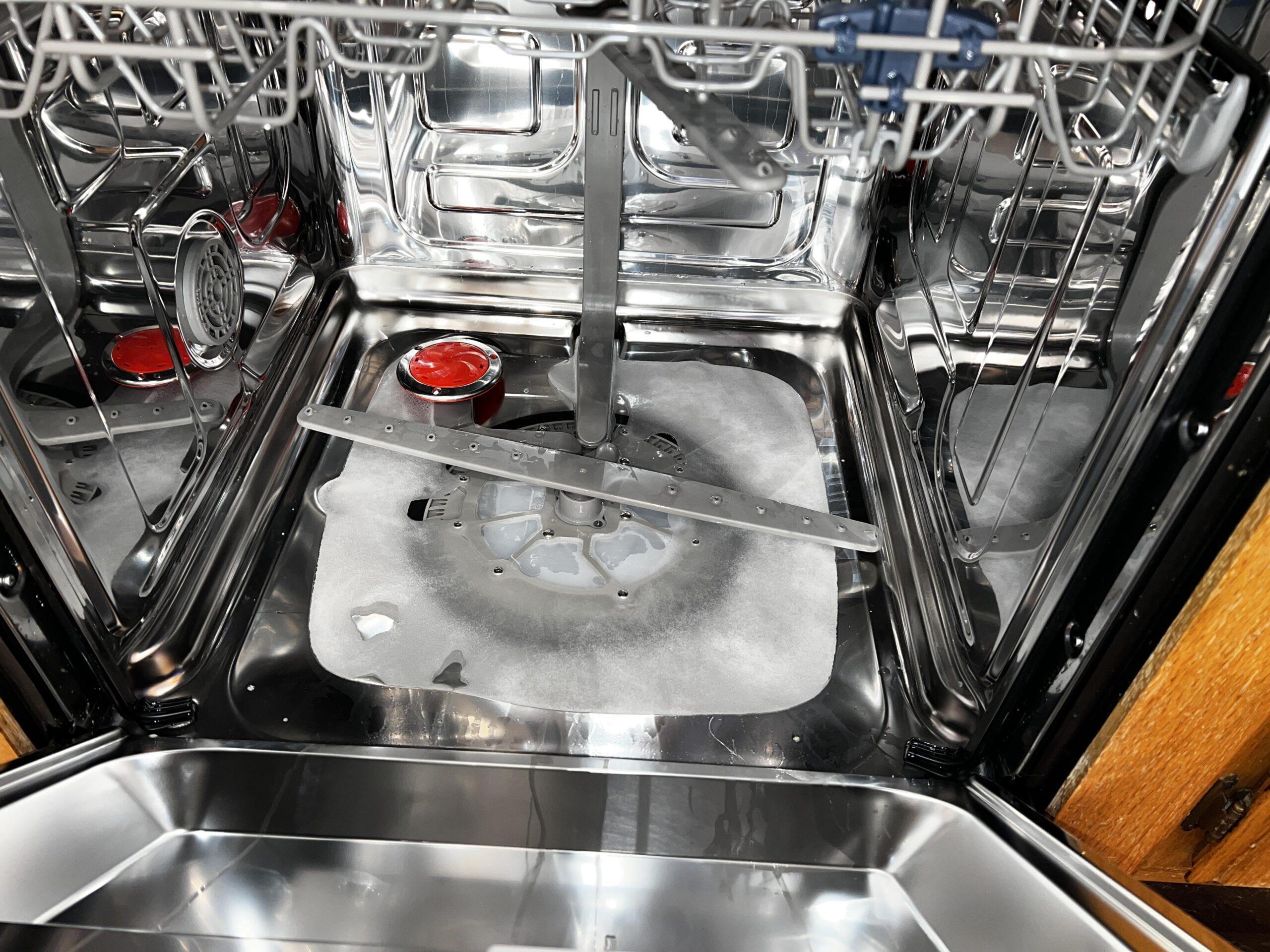
The Samsung E02 error code indicates that the dishwasher is unable to drain water within the expected amount of time. During every wash cycle, the appliance monitors how quickly water exits the tub. If the water remains inside too long, the control board stops the cycle and displays the E02 warning.
Several issues can trigger this error, ranging from minor obstructions to component failures.
Common causes include:
Fortunately, many of these problems can be identified with a few simple checks.
Before scheduling a repair appointment, try the following troubleshooting steps. In many cases, the error can be resolved without replacing any parts.
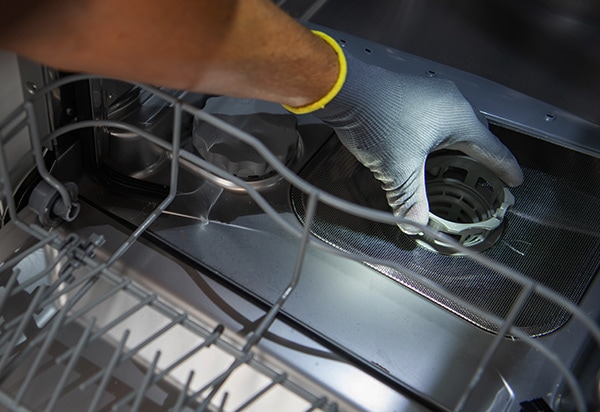
One of the most common causes of drainage problems is a clogged filter.
For safety, disconnect power to the dishwasher before performing any maintenance.
A dirty filter can significantly restrict water flow and trigger the E02 error.
The drain hose carries wastewater from the dishwasher to your home’s plumbing system. If it becomes blocked, bent, or pinched, drainage performance can be affected.
Check for:
If necessary, disconnect the hose and flush it with water to remove obstructions.
Sometimes the dishwasher itself isn’t the source of the problem.
If your kitchen sink drains slowly or your garbage disposal is clogged, wastewater may back up into the dishwasher system.
Run water through the sink and verify that drainage is flowing normally before moving on to more advanced troubleshooting.
Food particles, broken glass, labels, and other debris can sometimes reach the drain pump area and prevent the pump from operating correctly.
If you’re comfortable doing so, inspect the pump area for visible obstructions and remove any debris carefully.
After cleaning the filter and checking the drainage system, unplug the dishwasher or switch off the circuit breaker for approximately 5–10 minutes.
This allows the control board to reset and may clear temporary fault codes.
Restore power and run a short rinse cycle to see if the error returns.
If the E02 code continues to appear after you’ve cleaned the filter and verified proper drainage, the issue may involve an internal component failure.
Possible causes include:
These types of repairs typically require professional diagnostic equipment and replacement parts.
If you’ve completed all troubleshooting steps and your Samsung dishwasher still won’t drain, it’s time to seek professional assistance.
Our experienced technicians specialize in Samsung dishwasher repair and can quickly identify the source of the E02 error.
Whether the issue is a blocked drain system, failed pump assembly, or electronic control problem, we’ll provide a fast and reliable solution.
We offer:
If you’re searching for reliable local service, our team is ready to help restore your dishwasher as quickly as possible.
You can also book online and receive $25 off your repair.
A Samsung dishwasher displaying error code E02 shouldn’t be ignored. Drainage issues can lead to incomplete wash cycles, unpleasant odors, standing water, and additional strain on internal components.
Try the troubleshooting steps above, and if the problem persists, let our experts take care of the repair.
For fast, professional service, contact us today and get your dishwasher back to peak performance.
Book online now and enjoy $25 off all repairs.
 Request Service
 (647) 492-7773
