If your dishwasher buttons are not working, the problem may be as simple as a locked control panel or as complex as a failed user interface. Whether you own a Whirlpool, Samsung, LG, GE, Frigidaire, KitchenAid, and Maytag dishwasher, unresponsive buttons are a common issue that can usually be diagnosed with a few simple checks.
This guide explains the most common reasons why dishwasher buttons stop working and what you can do before scheduling a repair.
When your dishwasher is not working properly and you need help fixing it, we are the people to call! Give us a call and one of our experienced dishwasher repair technicians will come take a look at your dishwasher for you as soon as possible.



A dishwasher's control panel relies on several components working together, including the touchpad or push buttons, the electronic control board, the door latch, and the power supply. If one of these components fails, some or all of the buttons may stop responding.
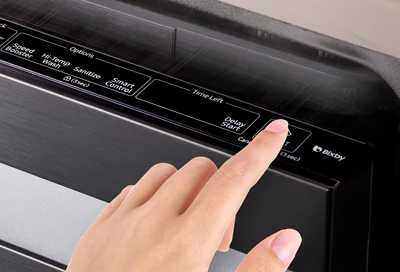
Many modern dishwashers include a Control Lock or Child Lock feature that disables the control panel to prevent accidental operation.
Buttons do not respond.
Indicator light or lock icon is illuminated.
Display works, but no cycle can be selected.
Press and hold the designated Control Lock button for several seconds. Refer to your owner's manual for the exact procedure, as it varies by manufacturer.
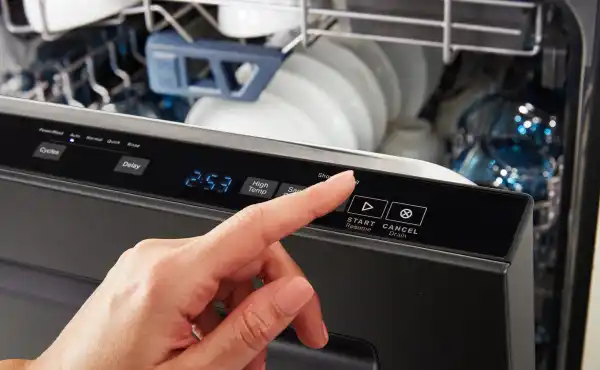
Like many electronic appliances, a dishwasher's control system can occasionally freeze because of a temporary software glitch or a brief power interruption.
Disconnect power to the dishwasher by switching off the circuit breaker or unplugging the appliance (if accessible). Wait 5–10 minutes before restoring power and test the controls again.
For safety reasons, a dishwasher will not start unless the door latch is fully engaged.
If the door isn't closed properly:
The Start button may not work.
Cycle selection may be disabled.
Some models display a door error message.
Inspect the latch for food debris, damage, or misalignment and ensure the door closes securely.
If only certain buttons fail while others work normally, the problem is often the touchpad or user interface panel.
Common symptoms include:
One or more buttons do not respond.
Buttons respond only after repeated presses.
Certain cycles cannot be selected.
In many dishwashers, the touchpad is replaced as a complete assembly.
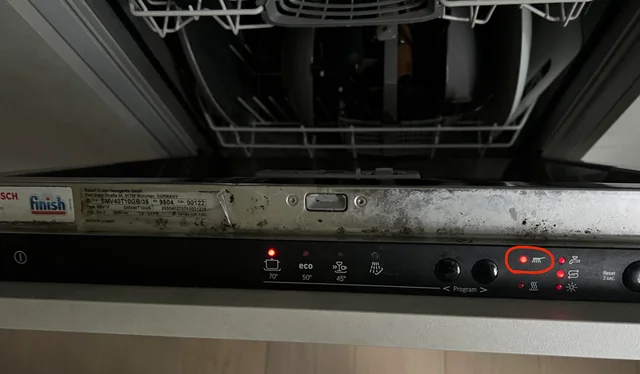
Steam and moisture can sometimes affect the control panel, especially if the door is opened immediately after a hot cycle.
This may cause:
Temporary unresponsive buttons.
Random button presses.
Display irregularities.
Allow the control panel to dry completely before using the dishwasher again.
The electronic control board processes signals from the buttons and controls all dishwasher functions.
If the control board fails, symptoms may include:
No buttons responding.
Intermittent operation.
Random beeping.
Cycle selection not working.
Control board problems usually require professional diagnosis because similar symptoms can also be caused by a defective user interface.
The control panel communicates with the main control board through electrical wiring and connectors.
If a connector becomes loose or damaged, the control panel may stop responding.
This type of repair generally requires removing the inner door panel and should be performed by a qualified technician.
A dishwasher may appear to have faulty buttons when the appliance is not receiving stable power.
Check:
The household circuit breaker.
The power cord (if accessible).
The electrical outlet.
If the display is completely blank, the problem is more likely related to the power supply than the buttons themselves.
Before scheduling a repair, try these simple troubleshooting steps:
Make sure Control Lock is turned off.
Confirm the dishwasher door closes and latches completely.
Reset the dishwasher by disconnecting power for several minutes.
Check the circuit breaker.
Dry the control panel if moisture is present.
Test whether all buttons or only specific buttons are affected.
If the controls remain unresponsive, further diagnosis may be necessary.
Professional service is recommended if:
The control panel remains unresponsive after a reset.
Only certain buttons work.
The electronic control board has failed.
The touchpad is damaged.
Wiring inside the door requires inspection or replacement.
A technician can determine whether the problem is caused by the user interface, control board, wiring, or another electrical component.
When dishwasher buttons stop working, the cause is often a control lock setting, a door that isn't fully latched, a temporary electronic glitch, or a failing touchpad. In some cases, the electronic control board or internal wiring may be responsible.
Whether you own a Bosch, Whirlpool, Samsung, LG, GE, KitchenAid, Maytag, Frigidaire, Electrolux, or Miele dishwasher, starting with these basic troubleshooting steps can often save time and help identify whether professional repair is needed.
Unresponsive dishwasher buttons are commonly caused by an activated Control Lock feature, a temporary electronic glitch, a door that isn’t fully latched, a faulty touchpad, or a malfunctioning electronic control board.
If only certain buttons respond while others do not, the touchpad or user interface panel may have failed. In some cases, damaged wiring or a defective electronic control board can also cause this issue.
Turn off power to the dishwasher by unplugging it or switching off the circuit breaker for 5 to 10 minutes. Restore power and test the control panel. A reset can resolve temporary software or electronic glitches.
Yes. Many modern dishwashers include a Control Lock or Child Lock feature that disables the control panel to prevent accidental operation. Disabling the lock usually restores normal button function.
The Start button may not work if the door isn’t completely closed, the Control Lock feature is enabled, the touchpad is faulty, or the electronic control board isn’t receiving the proper signal.
Yes. If the door latch doesn’t fully engage, the dishwasher’s safety system may prevent the control panel from starting or selecting a wash cycle until the door is securely closed.
 Request Service
 (647) 492-7773
